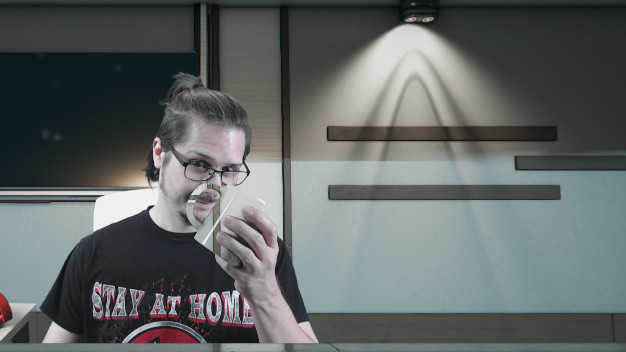
@Hazamel Hahaha  That reminds me of the day I picked the green mug – for a green screen session: https://beko.famkos.net/wp-content/uploads/2020/06/Bildschirmfoto-20200618151327-626×352-1.jpg
 B
B
beko@beko.famkos.net
@beko@beko.famkos.net
Beiträge
-
Getting 6DOF with older 3DOF XR glasses -
Getting 6DOF with older 3DOF XR glassesGetting 6DOF with older 3DOF XR glasses
Video: How to get 6DOF with older 3DOF XR glasses using Breezy and OpenTrack Breezy can now turn a 3DOF (degree of freedom) device into a 6DOF device by augmenting the missing positional data from a webcam. Spoiler! It is not the cam strapped to my face – this is just for the demo you can watch here, on PeerTube or YouTube.

The cam, that I used for this task, is sitting on my monitor. How this works? Well not with magic! This requires a somewhat decent webcam – really anything from the last decade should suffice – and OpenTrack, of course.
OpenTrack is a head-tracking application with multiple tracker plugins. One of it’s plugins is the Neuralnet Tracker, an AI powered extension that comes with a bunch of different head pose models to choose from. With a webcam connected this can now locally run the detection model with very low latency – so it’s usually blazing fast on most systems!

This alone is already 6DOF and is used a lot for gaming already – so what does Breezy do with this? Simple! It reads the forwarded data via an UDP listener, a very quick way to transmit data on a local network or system [and complements it’s own rotational data with the missing positional data].

With this a Breezy user still gets the rotational data from the XR’s very sensitive IMU, that is short for Inertial Measurement Unit btw, and the not so important positional data sent from OpenTrack.
This works of course only while the webcam can still see the user. So sadly no walking around while using this.
And the best thing? It can also send the data back! This means that the very same combined values can be forwarded – e.g. to a computer game – benefiting from the best available data sources for rotation and position.

That’s not the main use case, of course, and only of importance for some nerds like myself. This is mostly relevant for the productivity features of Breezy, because sometimes a text may be too small to read with the glasses on. We do no longer have to increase the font size – we can now simply lean in! That is a feature that is usually only available with glasses, that come with little cameras of their own, so they can have native 6DOF support. And when I say native I mean that such glasses usually also outsource exactly this calculation to the connected computer. It’s my understanding that this seems to require a lot of computation power, which is something many XR users with the more modern devices complain about.
Well not so much with OpenTrack and the Neuralnet tracker, that utilizes the ONNX runtime under the hood. That’s a high-performance, cross-platform engine to power exactly such models locally. The runtime automatically makes use of the best available hardware acceleration, if there is any.
Overall I’m rather hyped about this feature – especially because I’m using the OpenTrack output option of Breezy for quite some time now, to get a VR like experience with stereoscopic 3D rendering in Side-By-Side mode. I can now keep using my older XR glasses and still enjoy this more modern 6DOF feature. This is rather expensive hardware after all.
And all that on Linux PC!
Breezy xr_driver: https://github.com/wheaney/breezy-desktop by https://www.youtube.com/@WayneHeaney
Official Announcement XR desktop with 6DoF + multiple displays: https://www.youtube.com/watch?v=eFLmjpjF-rA
Music “Life’s Worth Dying For” CC BY-SA 3.0 “LostDrone”. Licensed to the public under https://creativecommons.org/licenses/by-sa/3.0/ Verify at https://soundcloud.com/lostdrone/rock-lostdrone-lifes-worth-dying-for-free-download-and-creative-commons-license

This content is licensed under a Creative Commons Attribution 4.0 International license.
https://beko.famkos.net/2026/02/06/geting-6dof-with-older-3dof-xr-glasses/
#3DOF #6DoF #AR #Breezy #gaming #Neuralnet #opentrack #Viture #ViturePro #VR #XR
-
Chirp chirp chirp little chicken – interfacing Ace Combat 7 for some sweet telemetry for my VF-1 inspired home cockpitChirp chirp chirp little chicken – interfacing Ace Combat 7 for some sweet telemetry for my VF-1 inspired home cockpit
So what happens when sheer stubbornness, a glorified button box, Ace Combat and the Unreal Engine Scripting System meet? Pure magic. I got the game to spew out a constant stream of telemetry data and events in search for more immersion in my VF-1 inspired home cockpit. The approach is the very same that I used for X4 Foundations before: Side load lib Luasocket, get a network connection established and start dumping extracted game data to it. This is highly experimental and the result of hacking away for the last ~4 nights. This video demonstrates the results:
https://makertube.net/w/cbXJAveVgVTGVEi58akVTA / https://www.youtube.com/watch?v=50J-gjkgJxE
To be perfectly clear: I am aware that Ace Combat is not a “flight sim”, not really worth of an API, and I know that DCS or BMS does it better and in greater detail and even with realism. This is not the point. I started working on this just for fun and to satisfy my own curiosity to see *if I can make it*. This may be hard to believe but chipping rocks together until the computer does what I want is “quality time” for me

You may have noticed that I’m a Macross fan and that my SimPit is heavily inspired by a VF-1 Valkyrie and that I usually use a modded VF-1 plane in AC as well. This is my personal substitute for the lack of any decent Macross / Robotech game since Macross VOXP.
This said I usually fly Space Pew Pew games with this cockpit so everything you see going on is designed for _space_ and not for flight sim. This is also why I sometimes talk about “ships” or “docked”. This is wording found everywhere in my plumbing pipeline for telemetry. All games I play, that can use this, send their data over this. The idea is that I do not have to rewrite half of the connected systems for every game so I transform the data into a unified format before.
You can read more about this on the dedicated project website https://simpit.dev (and here, of course). I will soon update it with some more details for Ace Combat. If this looks like something you’d like to try let me know, I’d love to connect. I’m active on various social media. Please do let me know if you find this inspiring.
#AceCombat #AceCombat7 #arwes #flightsim #gaming #gamingonlinux #homeCockpit #linuxgaming #macross #Robotech #simpit #SpacePewPew #UE4SS #VF1