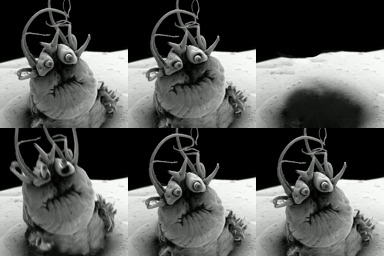
Someone asked me a while ago what settings they need to make their gif to have it work as a profile picture here and I couldn't remember how at the time.
-
Someone asked me a while ago what settings they need to make their gif to have it work as a profile picture here and I couldn't remember how at the time. I have advice now but I can't remember who asked me. Here is what I have learned:
You need to make the image you are using, or your gif into a square (no portrait or landscape) 1:1 aspect ratio. Then make it small. It has to be UNDER 2 MB so make it 216x216 or less (as a recommendation) and adjust the quality until it's under 2mb.
-
Someone asked me a while ago what settings they need to make their gif to have it work as a profile picture here and I couldn't remember how at the time. I have advice now but I can't remember who asked me. Here is what I have learned:
You need to make the image you are using, or your gif into a square (no portrait or landscape) 1:1 aspect ratio. Then make it small. It has to be UNDER 2 MB so make it 216x216 or less (as a recommendation) and adjust the quality until it's under 2mb.
some apps don't show them animated though like Tusky.
Edit.... If they are not working on your app or browser you probably need to enable this in your preferences. I was shit talking Tusky for no reason.
-
some apps don't show them animated though like Tusky.
Edit.... If they are not working on your app or browser you probably need to enable this in your preferences. I was shit talking Tusky for no reason.
@alipunk your avatar is animated and I'm on Tusky
-
@alipunk your avatar is animated and I'm on Tusky
@djghettoredneck ooooo weird maybe just on my phone lol
-
Someone asked me a while ago what settings they need to make their gif to have it work as a profile picture here and I couldn't remember how at the time. I have advice now but I can't remember who asked me. Here is what I have learned:
You need to make the image you are using, or your gif into a square (no portrait or landscape) 1:1 aspect ratio. Then make it small. It has to be UNDER 2 MB so make it 216x216 or less (as a recommendation) and adjust the quality until it's under 2mb.
@alipunk I had no idea that was a thing! My Firefox isn't animating it until I mouse over your profile pic - makes me wonder how many other animated profiles I've missed.
-
@alipunk I had no idea that was a thing! My Firefox isn't animating it until I mouse over your profile pic - makes me wonder how many other animated profiles I've missed.
@tehstu oh crazy!!!
-
@alipunk your avatar is animated and I'm on Tusky
-
@djghettoredneck ooooo weird maybe just on my phone lol
@djghettoredneck @alipunk it's a preferences setting, I'm not sure if it's off by default (I've got it off)
-
@tehstu oh crazy!!!
@alipunk Oops.. I have "Auto play animated GIFs" turned off in my Mastodon profile. I thought that would be helpful for my timeline, but I guess less so for profile photos.
So I guess FYI, for anyone else reading this!
-
Someone asked me a while ago what settings they need to make their gif to have it work as a profile picture here and I couldn't remember how at the time. I have advice now but I can't remember who asked me. Here is what I have learned:
You need to make the image you are using, or your gif into a square (no portrait or landscape) 1:1 aspect ratio. Then make it small. It has to be UNDER 2 MB so make it 216x216 or less (as a recommendation) and adjust the quality until it's under 2mb.
@alipunk
**EDIT** This is wrong. Avatars are GIFs.
The looping advice is still true for content.<del>Pretty sure you can use an mp4 instead of a gif, which makes it much easier to get good quality under 2mb.</del> Gif compression is trash.
To play looping you have to ensure that the mp4 has no audio streams (not just silent, you have to strip them out entirely). -
@alipunk
**EDIT** This is wrong. Avatars are GIFs.
The looping advice is still true for content.<del>Pretty sure you can use an mp4 instead of a gif, which makes it much easier to get good quality under 2mb.</del> Gif compression is trash.
To play looping you have to ensure that the mp4 has no audio streams (not just silent, you have to strip them out entirely).@stib thank you

-
@stib thank you
@alipunk Oh, nope, I was wrong. MP4s for content, avatars are gifs.
-
 I ixi@mastodon.online shared this topic